Gaming PC Noise Levels: Building Quiet High-Performance Gaming PCs
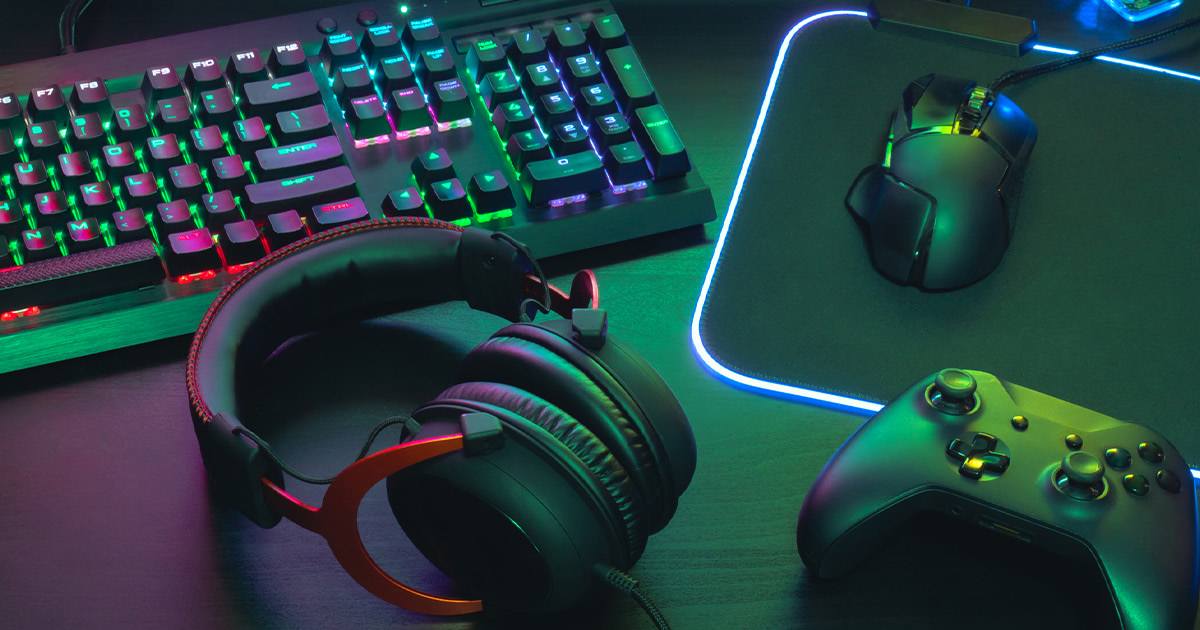
Imagine a world where you're fully immersed in your favorite game, the only sounds being the crisp audio of the battlefield and your own strategic commands. No more distracting fan whir, no more hard drive chatter – just pure, unadulterated gaming bliss. That's the promise of a quiet, high-performance gaming PC.
The dream of immersive gaming can quickly turn into a noisy nightmare. The constant drone of fans struggling to keep up with demanding components, the irritating whine of coil noise – these distractions can shatter your focus and pull you right out of the game. What's the point of having a powerful rig if you can't enjoy it without feeling like you're sitting next to a jet engine?
This article is your guide to building a gaming PC that delivers both top-tier performance and near-silent operation. We'll delve into the key components and techniques that allow you to enjoy your games without sacrificing your sanity or disturbing those around you. We'll explore everything from selecting the right case and cooler to optimizing fan curves and managing acoustics.
Building a quiet gaming PC is achievable, and it doesn't necessarily require breaking the bank. By carefully selecting components known for their quiet operation, employing effective cooling strategies, and optimizing your system's acoustic profile, you can create a powerhouse gaming machine that's also a paragon of silence. This guide explores these strategies in detail, covering topics like fan selection, case dampening, component choices, and more, ensuring you can build your dream machine without the unwanted noise.
My Personal Journey to Silent Gaming
My quest for a silent gaming PC began years ago, driven by a shared dorm room and a late-night gaming habit. My roommate, a light sleeper, bore the brunt of my early PC builds, which were essentially open-air wind tunnels. I remember one particular build featuring a stock CPU cooler that sounded like a vacuum cleaner. After several complaints and a few passive-aggressive notes left on my monitor, I knew I had to find a solution.
My first attempt at quieting things down involved stuffing the case with foam. It did… something, but mostly trapped heat and made the problem worse. That's when I started researching the actual components that contribute to noise. I learned about fluid dynamic bearing fans, passive cooling options, and the importance of a well-designed case with good airflow.
The key was not just to silence individual components but to create a system where everything worked together harmoniously. A silent power supply paired with a noisy graphics card is like having a perfectly tuned engine in a car with flat tires. It just doesn't work. Through trial and error, many late nights, and a considerable amount of money spent on different components, I finally achieved my goal: a high-performance gaming PC that purred like a kitten instead of roaring like a lion. The journey taught me invaluable lessons about airflow, acoustics, and the importance of selecting the right components for a specific goal. It wasn't just about buying the most expensive parts; it was about choosing the right parts for the job.
Understanding PC Noise Sources
The first step in building a quiet gaming PC is understanding where the noise is coming from. Identifying the culprits allows you to target your efforts effectively. The primary sources of noise in a gaming PC are typically fans (CPU cooler, GPU cooler, case fans), hard drives (especially older mechanical drives), and sometimes the power supply. Coil whine from the GPU or power supply can also be a significant source of irritation for some users.
Fans generate noise as they spin, pushing air through heatsinks and components to dissipate heat. The faster they spin, the more noise they produce. The design of the fan blades, the quality of the bearings, and the amount of resistance they encounter all contribute to the overall noise level. Hard drives, particularly older mechanical drives, can produce a noticeable whirring or clicking sound as the platters spin and the read/write heads move. Solid-state drives (SSDs) are silent because they have no moving parts, making them an excellent choice for noise reduction. Coil whine is a high-pitched electronic noise caused by the vibration of electrical components, particularly inductors, under heavy load. While not all components exhibit coil whine, it can be quite annoying when present. Once you understand these sources, you can begin to strategize about how to minimize their impact on the overall noise profile of your system.
The Myths and History of Silent PC Building
The concept of building quiet PCs isn't new; it's evolved alongside the technology itself. In the early days of personal computing, noise wasn't a major concern. PCs were primarily used for office tasks and didn't generate the same heat loads as modern gaming rigs. However, as CPUs and GPUs became more powerful, the need for effective cooling increased, leading to louder and louder systems.
One common myth is that building a quiet PC means sacrificing performance. This is simply not true. While you might need to invest a bit more in higher-quality components and cooling solutions, you can absolutely achieve both silence and high performance. Another myth is that water cooling is always quieter than air cooling. While water cooling can be very effective, it also introduces additional points of failure and potential noise sources, such as the pump. A well-designed air cooler can often be just as quiet, if not quieter, than a poorly implemented water cooling setup.
The history of silent PC building is marked by innovation in cooling technology, from passive heatsinks to advanced fan designs. The development of fluid dynamic bearing fans, which offer a smoother and quieter operation compared to traditional ball bearing fans, was a significant step forward. Similarly, advancements in case design, such as sound dampening materials and improved airflow patterns, have played a crucial role in reducing noise levels. Today, building a quiet gaming PC is more accessible than ever, with a wide range of components and technologies available to suit different budgets and performance needs.
The Hidden Secrets to a Truly Silent PC
Beyond choosing the right components, several "hidden secrets" can make a significant difference in achieving near-silent operation. One often-overlooked aspect is cable management. A tidy interior not only improves airflow but also reduces turbulence, which can generate noise. Routing cables properly and using zip ties or Velcro straps to keep them out of the way can have a noticeable impact.
Another secret is optimizing fan curves. Most modern motherboards allow you to customize the fan speeds based on temperature. Instead of running all fans at full speed all the time, you can create a profile that keeps them running at a lower, quieter speed during idle or light loads, and only ramps them up when necessary. The placement of your PC can also affect noise levels. Placing your PC on a hard surface, such as a wooden desk, can amplify vibrations and make it seem louder. Using a soft mat or placing the PC on the floor (away from dust) can help dampen these vibrations.
Finally, consider the acoustic properties of your room. Hard surfaces, such as walls and floors, reflect sound, making the room seem louder. Adding soft furnishings, such as carpets, curtains, and upholstered furniture, can help absorb sound and reduce reverberation. Even something as simple as placing acoustic panels on the walls can make a noticeable difference. These secrets, combined with the right components, can transform your gaming PC from a noisy distraction into a silent powerhouse.
Recommended Components for a Quiet Build
Selecting the right components is paramount when building a quiet gaming PC. For the CPU cooler, consider a high-quality air cooler with a large heatsink and a low-noise fan, such as the Noctua NH-D15 or be quiet! Dark Rock Pro 4. These coolers provide excellent cooling performance while remaining remarkably quiet. Alternatively, if you prefer water cooling, look for an all-in-one (AIO) cooler with a low-noise pump and fans, such as the Corsair i CUE H115i Elite Capellix or the NZXT Kraken X63.
For the GPU, choose a model with a quiet cooler design. Many manufacturers offer cards with custom coolers that prioritize noise reduction. Look for models with large heatsinks, multiple fans, and a semi-passive mode that allows the fans to stop spinning completely during idle or light loads. Be quiet!, ASUS (Strix series), and MSI (Gaming series) are known for producing quiet graphics cards.
For the case, select a model with sound dampening materials and good airflow. Cases from Fractal Design (Define series), be quiet! (Silent Base series), and Corsair (Obsidian series) are excellent choices. These cases feature thick side panels with sound dampening foam and well-designed airflow patterns that allow for efficient cooling without excessive fan noise. Finally, choose a power supply with a low noise rating. Look for models that are 80+ Gold or Platinum certified and have a fan that operates at a low RPM or offers a semi-passive mode. Seasonic, Corsair, and be quiet! are reputable brands known for producing quiet power supplies. By carefully selecting these components, you can lay the foundation for a truly silent gaming experience.
Optimizing Fan Curves for Silence
One of the most impactful things you can do to reduce PC noise is to optimize your fan curves. This involves adjusting the fan speeds based on the temperature of your components, ensuring that the fans only spin as fast as necessary to maintain safe operating temperatures. Most modern motherboards provide software or BIOS settings that allow you to customize fan curves for the CPU, case fans, and even the GPU (if the GPU manufacturer provides software for it).
The key is to find a balance between cooling performance and noise levels. Start by setting a low fan speed (e.g., 20-30%) for idle or light loads, gradually increasing the speed as the temperature rises. Experiment with different curves to find the sweet spot where your components stay cool without generating excessive noise.
Pay attention to the temperature of your CPU and GPU under load. If they are consistently running too hot (e.g., above 85°C), you may need to increase the fan speeds or consider upgrading your cooling solutions. However, if they are staying within a comfortable range (e.g., below 75°C), you can likely reduce the fan speeds further. It's also worth noting that different fans have different noise characteristics. Some fans generate a low hum, while others produce a more annoying whine. Experiment with different fan models to find the ones that are the least obtrusive to your ears. By taking the time to optimize your fan curves, you can significantly reduce the noise levels of your gaming PC without sacrificing performance.
Tips and Tricks for Noise Reduction
Beyond the basics, several additional tips and tricks can help you further reduce the noise levels of your gaming PC. One simple but effective trick is to use rubber grommets or anti-vibration mounts for your fans and hard drives. These mounts help absorb vibrations and prevent them from being transmitted to the case, reducing noise. Another trick is to use a fan controller. Fan controllers allow you to manually adjust the fan speeds, giving you even more control over the noise levels. Some fan controllers also come with temperature sensors that can automatically adjust the fan speeds based on the temperature of your components.
Consider undervolting your CPU and GPU. Undervolting involves reducing the voltage supplied to these components, which can lower their power consumption and heat output, allowing you to run the fans at lower speeds. Undervolting requires some experimentation and may not be possible on all systems, but it can be a very effective way to reduce noise without sacrificing performance.
Pay attention to the airflow inside your case. Proper airflow is essential for effective cooling. Make sure that the air is flowing smoothly through the case, with cool air entering from the front and hot air exiting from the rear. Avoid blocking the airflow with cables or other components. Finally, consider using a silent keyboard and mouse. The clicks and clacks of a mechanical keyboard can be quite distracting, especially in a quiet environment. A silent keyboard and mouse can help you further minimize distractions and create a more immersive gaming experience.
SSD vs. HDD: A Sound Decision
One of the easiest and most effective ways to reduce noise in your gaming PC is to replace traditional mechanical hard drives (HDDs) with solid-state drives (SSDs). HDDs contain spinning platters and moving read/write heads, which generate noise as they operate. SSDs, on the other hand, have no moving parts and are completely silent.
In addition to being silent, SSDs also offer significant performance benefits. They are much faster than HDDs, resulting in faster boot times, quicker game loading, and snappier overall system responsiveness. While SSDs used to be significantly more expensive than HDDs, the price gap has narrowed considerably in recent years, making them a more affordable option for many users.
Even if you're on a tight budget, consider using an SSD for your operating system and frequently played games, and then using an HDD for storing less frequently accessed files. This will give you the best of both worlds: the speed and silence of an SSD for your critical applications, and the capacity and affordability of an HDD for your bulk storage needs. The switch to an SSD is a game-changer, not just for noise reduction but for overall system performance.
Fun Facts About PC Noise
Did you know that the human ear is most sensitive to frequencies between 2,000 and 5,000 Hz? This is why high-pitched noises, such as coil whine, can be particularly annoying. Another fun fact is that the decibel scale is logarithmic, meaning that a 10 d B increase in noise level represents a tenfold increase in sound intensity. So, a PC that produces 40 d B of noise is ten times louder than a PC that produces 30 d B of noise.
The quietest PCs in the world are often passively cooled, meaning they rely entirely on heatsinks and natural convection to dissipate heat. These systems are completely silent but typically limited to lower-power components. Some enthusiasts have even built PCs submerged in mineral oil, which provides excellent cooling and sound dampening. However, this is a more advanced and potentially risky technique.
The pursuit of silent computing has led to some interesting innovations, such as fanless power supplies and cases with elaborate sound dampening systems. Some manufacturers even use acoustic chambers to test and optimize the noise levels of their components. Ultimately, the goal is to create a gaming experience that is immersive and enjoyable, without being marred by distracting noise.
How to Diagnose Noise Problems
If you're experiencing excessive noise from your gaming PC, the first step is to diagnose the source of the problem. Start by visually inspecting the fans to make sure they are clean and free of obstructions. Dust buildup can cause fans to spin faster and generate more noise.
Next, listen closely to the PC to try to pinpoint the source of the noise. Is it coming from the CPU cooler, the GPU cooler, the case fans, or the hard drive? You can use a simple trick to isolate the noise: temporarily stop each fan individually to see if the noise goes away. Be careful not to run the system for too long with a fan stopped, as this could lead to overheating.
If you suspect coil whine, try stress-testing your GPU or power supply to see if the noise becomes more pronounced. You can use benchmarking tools like Fur Mark or Prime95 to put a heavy load on these components. If you're still having trouble identifying the source of the noise, you can use a sound meter app on your smartphone to measure the noise levels at different locations around the PC. This can help you narrow down the source of the problem and determine which components are the loudest. Once you've identified the source of the noise, you can take steps to address it, such as replacing a noisy fan, cleaning a dusty heatsink, or upgrading to a quieter component.
What If My PC is Already Too Loud?
If you've already built your gaming PC and are now finding it to be too loud, don't despair! There are still several things you can do to reduce the noise levels without completely rebuilding the system. Start by cleaning out any dust that has accumulated inside the case. Dust can clog heatsinks and cause fans to spin faster, generating more noise.
Consider replacing the stock CPU cooler with a higher-quality aftermarket cooler. Stock coolers are often quite noisy, especially under load. A good aftermarket cooler can provide significantly better cooling performance with lower noise levels. You can also replace the case fans with quieter models. Look for fans with fluid dynamic bearings and low RPM ratings. Be sure to choose fans that are the right size for your case.
If you have a mechanical hard drive, consider replacing it with an SSD. This will eliminate one of the major sources of noise in your system. You can also add sound dampening materials to the inside of your case. These materials help absorb vibrations and reduce noise. Finally, optimize your fan curves. Adjust the fan speeds based on the temperature of your components to minimize noise. Even small changes can make a big difference in the overall noise levels of your system.
Top 5 Components for a Silent Gaming PC Build (Listicle)
1.Noctua NH-D15 CPU Cooler: Renowned for its exceptional cooling performance and incredibly quiet operation, the Noctua NH-D15 is a top choice for keeping your CPU cool without the noise. Its dual-tower design and high-quality fans make it a powerhouse of silence.
2.be quiet! Silent Base 802 Case: This case is designed with noise reduction in mind, featuring thick sound dampening materials on the side panels and front door. It also offers excellent airflow and plenty of room for components.
3.Seasonic Prime TX-850 Power Supply: Seasonic is known for producing high-quality, quiet power supplies, and the Prime TX-850 is no exception. Its fully modular design and 80+ Titanium certification ensure efficient and quiet operation.
4.ASUS ROG Strix RTX 3070 Graphics Card: The ASUS ROG Strix series graphics cards are designed with a focus on cooling and noise reduction. Their custom coolers feature large heatsinks and multiple fans that operate at low speeds, keeping the card cool and quiet.
5.Noctua NF-A12x25 Case Fans: These fans are widely regarded as the best all-around case fans on the market. They offer exceptional airflow and pressure with minimal noise, making them an ideal choice for keeping your system cool and quiet.
Question and Answer Section
Q: Will building a quiet PC cost more?
A: Generally, yes. Quiet components often come with a premium price tag due to their higher quality materials, advanced engineering, and focus on noise reduction. However, the added cost is often worth it for a more enjoyable and immersive gaming experience.Q:Is water cooling always quieter than air cooling?
A: Not necessarily. While water cooling can be very effective at reducing noise, it also introduces additional components, such as the pump, which can generate noise. A well-designed air cooler can often be just as quiet, if not quieter, than a poorly implemented water cooling setup.Q:How important is case selection for noise reduction?
A: Case selection is very important. A case with sound dampening materials and good airflow can significantly reduce noise levels. Look for cases with thick side panels, front doors, and well-designed airflow patterns.Q:Can I make my existing PC quieter without buying new parts?
A: Yes, there are several things you can do. Clean out any dust, optimize your fan curves, and add sound dampening materials to the inside of the case. These simple steps can often make a noticeable difference in the noise levels of your system.
Conclusion of Gaming PC Noise Levels: Building Quiet High-Performance Gaming PCs
Building a quiet high-performance gaming PC is an achievable goal with the right knowledge and components. By understanding the sources of noise, selecting components designed for silent operation, and employing effective cooling strategies, you can create a gaming rig that delivers both top-tier performance and a tranquil gaming experience. From choosing the right case and cooler to optimizing fan curves and managing acoustics, every detail matters in the quest for a silent powerhouse. Embrace the silence and immerse yourself in the world of gaming without the distractions of unwanted noise. Your ears, and your gaming experience, will thank you for it.
Post a Comment